
Getting started
How to score your scramble
Up and running in under 2 minutes.
Create your scramble
Tap New Scramble, name it, pick your course, add your teams and players, and choose your scoring format. Hit Create & Launch when you're ready.
Share a scoring link with each team
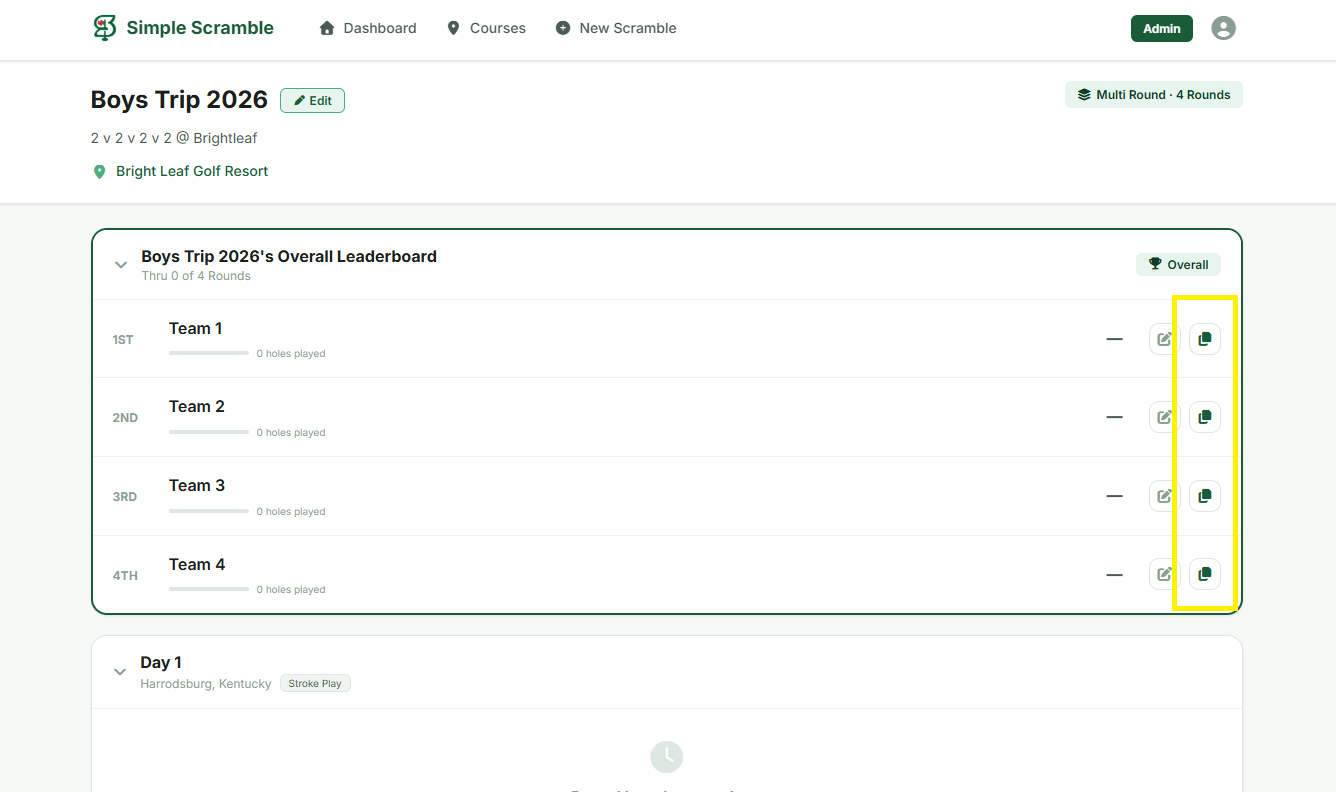
On the leaderboard, find the copy icon  next to each team's name and send them their unique link via text or group chat. Each team gets their own link — no account needed to score.
The copy icons are highlighted on the right side of each team row
Teams enter scores live
Each team opens their link and enters scores hole by hole as they play. The leaderboard updates in real time for everyone following along — no refreshing needed.
Anyone with the leaderboard link can follow scores live — no account or app download required.